Business Missing from ChatGPT Search? Check Your Website’s Crawl Settings
- #ChatGPT search
- #Business information
- #OAI-SearchBot
- #GPTBot
- #Website audit
- #AI search visibility

Who this guide is for
- Business owners whose websites exist but whose businesses are hard to find in ChatGPT
- Owners asking their web developer to check AI search access
- Marketers unsure what to check after changing search access settings
If you have a website, start by checking whether it allows crawling for ChatGPT search.
Before rewriting your business description, check your website’s access settings. Even if the information is on your site, you should first review any settings that block search crawling.
According to OpenAI’s official crawler documentation, OAI-SearchBot is used to surface websites in ChatGPT search results. A crawler is a program that automatically finds and reads web pages.
The documentation states that sites blocking OAI-SearchBot will not appear in ChatGPT search answers, although they may still appear as navigational links that take users to the site. Seeing a single website link is therefore not enough to determine whether search access is enabled.
This check applies to a website you manage. Assuming you can change crawl settings the same way for a Google Business Profile or a blog hosted on another platform can make the scope of the work unclear.
If your business does not have a website, focus on organizing the addresses and information for the channels you already use. You can check your own site’s settings once you build a website or gain access to manage one.
OAI-SearchBot and GPTBot settings apply independently.
OpenAI’s official documentation explains that you can allow OAI-SearchBot for search while blocking GPTBot for training. Name them separately when contacting your web developer so your request is clear.
| Name to check | Purpose | What to ask your web developer |
|---|---|---|
| OAI-SearchBot | Surfacing your site in ChatGPT search results | Is crawling for search blocked? |
| GPTBot | Crawling for training generative AI foundation models | How is crawling for training configured? |
The robots.txt file you may encounter during these checks tells crawlers the site’s access rules. If you cannot edit it yourself, ask your website manager to confirm the current settings and make the requested changes.
Search access and actual recommendations to customers need to be checked separately.
Confirmation that search access is enabled tells you about a technical setting. It does not mean your business will be selected in answers to questions about a particular area or menu item.
Send your website address, the bot names to check, and the results you need confirmed in one request.
A request such as “Please make us appear in AI search” leaves the completion criteria unclear. Follow the steps below so you and your developer can check the same items.
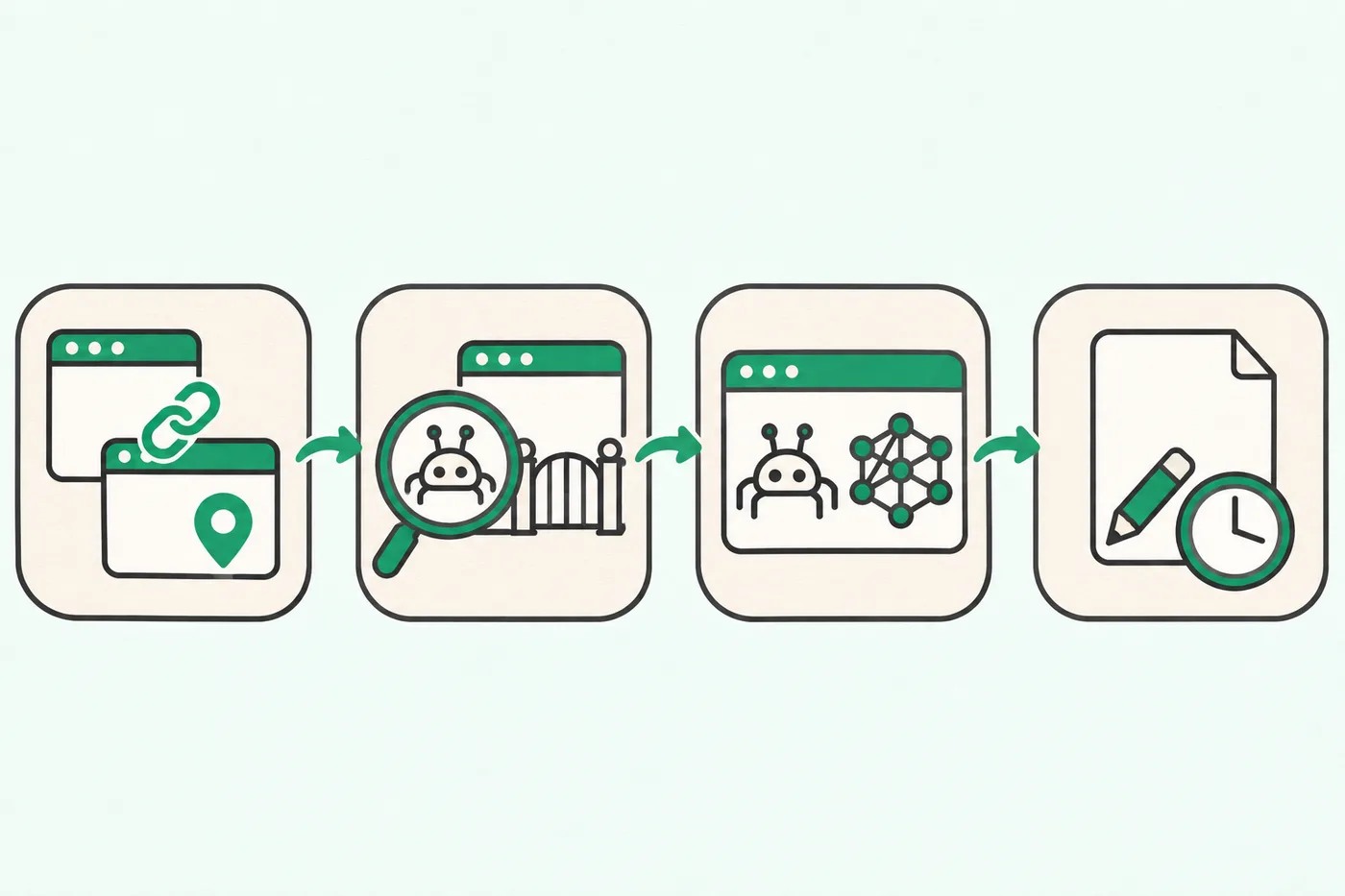
Your request can be brief: “Please check OAI-SearchBot access to our website. Confirm the GPTBot settings separately, and if you make changes, record when they take effect.”
OpenAI says its systems may take approximately 24 hours to reflect robots.txt changes related to search. This describes the time needed to reflect the setting change, not when recommendations for your business will begin.
For example, if the settings change at 10 a.m. on Monday, you could schedule your first follow-up check for after 10 a.m. on Tuesday.
Do not judge the work as unsuccessful based only on search results immediately after the change. Keep the change record alongside your subsequent search checks so you can explain the situation clearly if you need to follow up.
Test questions that name your business separately from questions that describe what a visitor needs.
Questions that include your business name let you check what customers who already know you will find. Questions that mention only an area and visitor needs let you explore how customers unfamiliar with your business might discover it.
The questions below are examples for testing. Replace them with your actual business name, area, and conditions you can confirm at your business.
| Question type | Example test question | What to record |
|---|---|---|
| Business name check | Where is [Café Name]? | Whether the address is correct |
| Search by visitor needs | Find a café in [Neighborhood] that I can visit with a stroller. | Whether your business is mentioned |
| Source check | What sources did you use for that business information? | The links provided and the information they contain |
Choose visitor needs your business can actually provide information about. Details customers check before visiting, such as parking availability or how to book, are enough.
If an answer provides sources, open them to see which pages were used. Record a mention of your business name separately from a citation of your own website.
For example, if you choose two questions about your business name and two about visitor needs, use those same four questions each time you check.
Record the exact question, the date checked, whether your business was mentioned, and the source addresses. Build a record of answers to the same questions rather than drawing a conclusion about your overall visibility from a single response.
For an initial check, record both your access settings and the results of actual questions.
Businesses without a dedicated marketer may struggle to update several channels at once. Divide the work: ask your website provider to check crawl settings while you prepare questions real customers might ask.
Be specific when recording results. Entries such as “Search crawling confirmed as allowed,” “Address verified in business name question,” or “No mention in visitor needs question” make the next steps clearer than “AI search ready.”
If search access is enabled but your business still does not appear, review your questions and source records before rushing to add more descriptive content. Start by checking whether your website contains information that answers customers’ needs.
Yongwoon LeeContent Lead, Cresco
At Cresco, designs how blog, local listing and Instagram content is run for clients such as clinics, and plans and reviews the articles on this blog.
Small-business marketing · SEO · AI search (GEO) · Naver Place · Content strategy
The OpenAI crawler guidance discussed here explains website search access settings. It should not be interpreted as a process for directly registering your business information.
Blocking GPTBot alone does not establish that your site is excluded from ChatGPT search. OpenAI states that GPTBot and the search crawler OAI-SearchBot have independent settings, so check each separately.
Get the website address they checked, the OAI-SearchBot access status, and when any changes took effect. Keeping a record of the actual changes makes it easier to review later search results and follow up.
Record that your business was mentioned and that your website was not confirmed as a source as separate findings. If other sources are provided, open those pages and check whether the business information is correct.